The Complete Guide to Product Feedback Management (2026)
Master product feedback management with this complete guide. Learn to collect, organize, analyze, and act on customer feedback systematically.
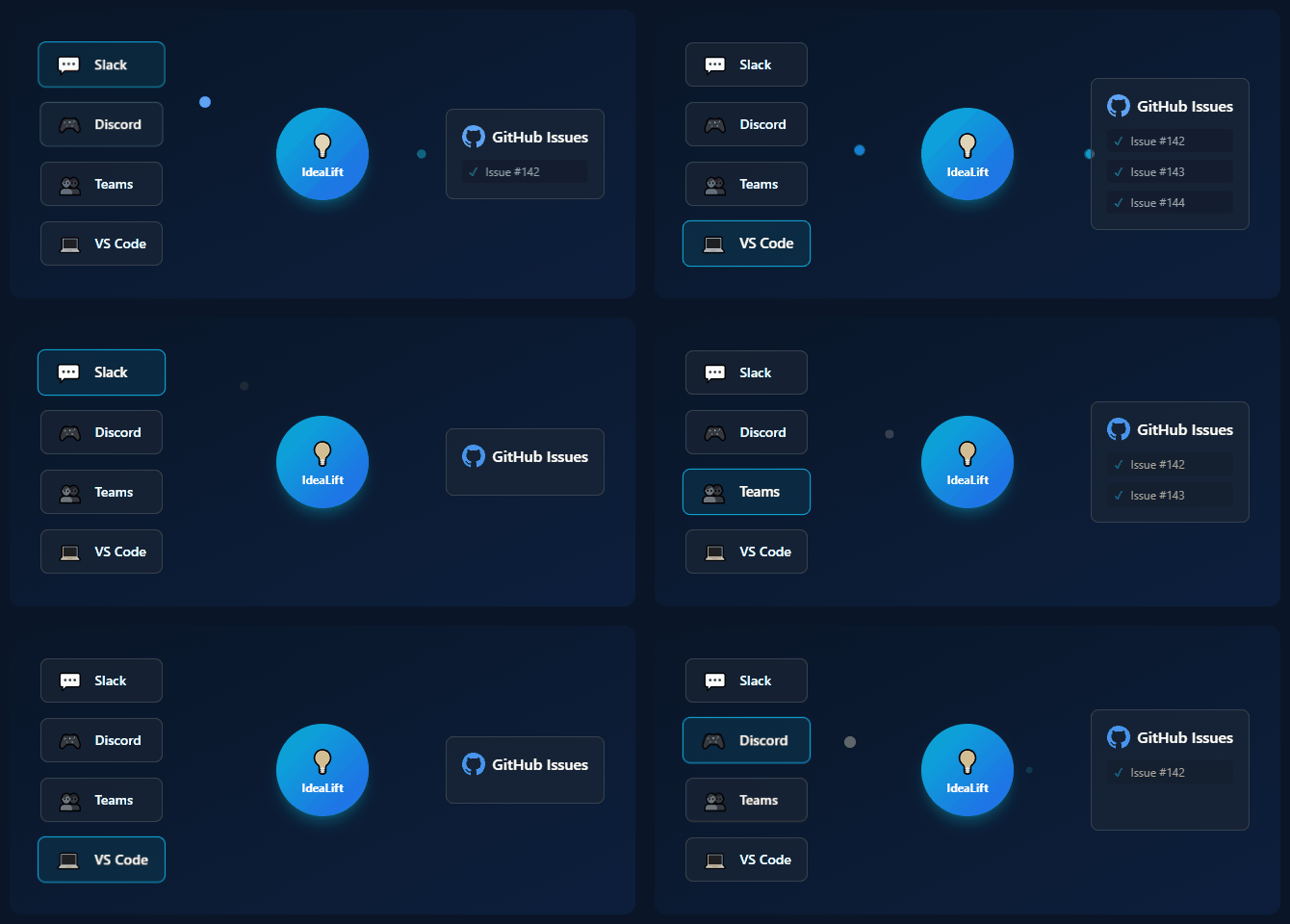
Product feedback is everywhere. Support tickets. Sales calls. Slack messages. NPS surveys. Twitter mentions. In-app requests.
The challenge isn't getting feedback. It's managing it.
Most teams drown in feedback. They collect it, lose it, occasionally remember it, and mostly ignore it. Customers feel unheard. Product decisions get made on gut instinct instead of data.
This guide shows you how to build a feedback management system that actually works—one that turns scattered input into strategic insight.
What Is Product Feedback Management?
Product feedback management is the systematic process of:
- Collecting feedback from all sources
- Organizing it in a central, searchable system
- Analyzing patterns and priorities
- Acting on insights (building, communicating, declining)
- Closing the loop with those who provided feedback
It's not a tool—it's a discipline. The tool just makes the discipline easier.
Why Most Feedback Management Fails
Before building your system, understand why the current one (or lack thereof) isn't working:
Failure Mode 1: Scattered Sources
Feedback lives in 10 different places. No single person sees all of it. Patterns are invisible.
Failure Mode 2: Capture Friction
Adding feedback to the system takes too long. Busy people skip it. Only some feedback gets recorded.
Failure Mode 3: Graveyard Backlogs
Feedback is captured but never reviewed. It sits in a backlog that grows forever. Why capture if nothing happens?
Failure Mode 4: No Process Ownership
Everyone's responsibility = no one's responsibility. Who triages? Who prioritizes? Who communicates?
Failure Mode 5: Silent Treatment
Feedback goes in, nothing comes out. Customers who shared insights never hear what happened. They stop sharing.
The Feedback Management Framework
A working system has five components:
┌─────────────┐    ┌─────────────┐    ┌─────────────┐
│   COLLECT   │ → │  ORGANIZE   │ → │   ANALYZE   │
└─────────────┘    └─────────────┘    └─────────────┘
                                            │
                   ┌─────────────┐          │
                   │    CLOSE    │ ← ───────┤
                   │   THE LOOP  │          │
                   └─────────────┘          │
                          ↑                 ↓
                   ┌─────────────┐    ┌─────────────┐
                   │ COMMUNICATE │ ← │     ACT     │
                   └─────────────┘    └─────────────┘
Let's build each component.
Component 1: Collection
Map Your Feedback Sources
List everywhere feedback currently comes from:
| Source | Type | Volume | Current Destination | |--------|------|--------|---------------------| | Support tickets | Zendesk | 50/week | Stays in Zendesk | | Sales calls | Gong recordings | 10/week | Sales team's memory | | Slack (#feedback) | Messages | 20/week | Lost in scroll | | NPS surveys | Delighted | Monthly | Spreadsheet | | In-app feedback | Widget | 15/week | Email inbox | | Social media | Twitter/Reddit | 5/week | Social tool | | Customer calls | Zoom | 5/week | Notes (sometimes) |
Design Capture Paths
For each source, create a path to your central system:
High-volume, automated:
- Support tickets: Tag "feature request" → Auto-sync to feedback inbox
- In-app widget: Directly writes to feedback system
- NPS verbatims: Auto-import open text responses
Medium-volume, low-friction:
- Slack: Emoji reaction → Captured with context
- Sales calls: Slack bot prompt after call → Quick capture form
- Customer calls: Template in notes → Copy key quotes to system
Low-volume, manual OK:
- Social media: Weekly review → Manually add notable items
- Community forums: Same as social
Reduce Capture Friction
The easier it is to capture, the more gets captured.
Bad: Open tool → Navigate to add → Fill form → Submit (2 minutes) Good: React with emoji → Done (2 seconds)
Bad: Remember to add after the call Good: Bot prompts immediately after call ends
Bad: One person is responsible for all capture Good: Anyone can capture from anywhere
What to Capture
Not everything deserves tracking. Capture:
- Feature requests with clear use case
- Bug reports (if not already in issue tracker)
- Workflow pain points
- Competitive mentions
- Praise (yes, track what's working too)
Don't capture:
- Support questions (different system)
- Generic complaints without specifics
- One-off edge cases
- Already-known issues
Component 2: Organization
The Central Inbox
All feedback flows to one place. Options:
| Tool | Best For | Price | |------|----------|-------| | Airtable | Flexibility, automations | $20/user/mo | | Notion | All-in-one workspace | $10/user/mo | | Canny | Public voting boards | $79/mo flat | | ProductBoard | Full PM suite | $20/user/mo | | IdeaLift | Slack/Discord capture | $49/mo flat |
Choose based on your needs, not features.
Essential Fields
| Field | Purpose | Example | |-------|---------|---------| | Title | Quick reference | "Add dark mode" | | Description | Full context | "Need dark mode for low-light environments..." | | Source | Where it came from | Slack #enterprise | | Requester | Who asked | Acme Corp (John) | | Customer Segment | For prioritization | Enterprise, $50k ARR | | Date | When received | 2026-01-15 | | Status | Current state | Under Review | | Category | Theme/area | UX, Feature, Bug | | Linked Items | Related requests | ID-42, ID-67 | | Votes/Count | Popularity | 12 requests |
Status Workflow
Keep it simple:
NEW → UNDER REVIEW → PLANNED → IN PROGRESS → SHIPPED
                  ↓
            WON'T DO (with reason)
Avoid:
- Too many statuses (creates confusion)
- Statuses without action ("Considering" forever)
- Missing the "won't do" option (creates graveyard)
Deduplication
The same request will come in multiple times. Handle it:
- Search before adding: Is this already captured?
- Merge when found: Link duplicates, increment count
- AI assist: Tools like IdeaLift auto-detect similar requests
Tagging Strategy
Use tags for filtering:
| Tag Type | Examples | |----------|----------| | Theme | Mobile, API, Dashboard, Onboarding | | Customer Type | Enterprise, SMB, Free | | Priority | Quick Win, Strategic, Tech Debt | | Source | Support, Sales, In-App |
Don't over-tag. 3-5 tag types max.
Component 3: Analysis
Weekly Triage Ritual
Block 30 minutes weekly (same time, non-negotiable):
Solo PM:
- Review all NEW items (5 min)
- Merge duplicates (5 min)
- Update statuses (5 min)
- Identify patterns (10 min)
- Pick 1-2 items to research further (5 min)
Team:
- Same as above, plus:
- Discuss top patterns (10 min)
- Make quick decisions on obvious items (10 min)
Pattern Recognition
Look for:
- Frequency: What's requested most often?
- Segment patterns: What do enterprise customers want vs SMB?
- Source patterns: What comes from support vs sales?
- Timing: Any seasonal patterns?
Quantify Impact
Turn qualitative feedback into numbers:
| Request | Count | Revenue Represented | Churn Risk | |---------|-------|---------------------|------------| | Dark mode | 47 | $125k ARR | Low | | SSO | 12 | $480k ARR | High | | API v2 | 8 | $200k ARR | Medium |
SSO has fewer requests but more revenue at risk. Priorities shift.
Customer Segmentation
Slice feedback by:
- Customer size (ARR, employees)
- Industry vertical
- Use case
- Tenure (new vs established)
Different segments have different needs. Know who's asking for what.
Component 4: Acting
Prioritization Frameworks
RICE Score:
- Reach: How many customers affected?
- Impact: How much will it help? (0.25, 0.5, 1, 2, 3)
- Confidence: How sure are we? (0-100%)
- Effort: Person-weeks to build
RICE = (Reach × Impact × Confidence) / Effort
ICE Score (simpler):
- Impact: 1-10
- Confidence: 1-10
- Ease: 1-10
ICE = (I + C + E) / 3
Value vs Effort Matrix:
High Value │ Quick Wins    │ Big Bets
           │ (Do Now)      │ (Plan Carefully)
───────────┼───────────────┼───────────────
Low Value  │ Fill-Ins      │ Money Pits
           │ (Maybe Later) │ (Avoid)
           └───────────────┴───────────────
              Low Effort      High Effort
Saying No (Gracefully)
Not everything should be built. Valid reasons to decline:
- Doesn't align with product strategy
- Would help < 1% of users
- Technically infeasible
- Better solved by integration/partner
How to say no:
Thanks for suggesting [feature]. After careful consideration,
we've decided not to pursue this because [specific reason].

We're focusing our efforts on [alternative that might help].

We appreciate you taking the time to share your feedback.
If you have other ideas, please keep them coming!
Linking Feedback to Roadmap
When something makes the roadmap, link it:
In your feedback tool:
- Status: Planned
- Roadmap link: Q2 roadmap item
In your roadmap/issue tracker:
- Related feedback: [links to feedback items]
- Customer quotes: "I need this because..."
This enables closing the loop later.
Component 5: Closing the Loop
When to Communicate
| Event | Who to Notify | How | |-------|---------------|-----| | Feedback received | Requester | Auto-email/Slack | | Status: Planned | Requester | Email | | Status: Shipped | All requesters | Email + Public changelog | | Status: Won't Do | Requester | Personal email |
Communication Templates
Feedback received:
Subject: We got your feedback!

Hi [Name],

Thanks for sharing your idea about [topic]. We've logged it
and will review it with the team.

You'll hear from us when we have an update.

Best,
[Product Team]
Now planned:
Subject: Your feature request is on our roadmap!

Hi [Name],

Good news! The feature you requested - [description] - is now
on our roadmap for [quarter].

We'll let you know when it ships.

Thanks for helping make [Product] better!

Best,
[Product Team]
Now shipped:
Subject: Your feature request is live!

Hi [Name],

Remember when you asked for [feature]? It's live!

[1-2 sentences on what's new and how to use it]

Thanks for being part of building [Product].

[Try it now →]

Best,
[Product Team]
Public Changelog
Maintain a public changelog that:
- Announces shipped features
- Credits feedback ("Thanks to everyone who requested...")
- Links to how-to content
- Builds trust and transparency
Building the System: Week-by-Week
Week 1: Foundation
- [ ] Map all feedback sources
- [ ] Choose central tool
- [ ] Set up basic fields and statuses
- [ ] Import last 30 days of feedback manually
Week 2: Capture Paths
- [ ] Set up automated capture from 2 highest-volume sources
- [ ] Create low-friction capture for remaining sources
- [ ] Test end-to-end flow
Week 3: First Triage
- [ ] Schedule weekly triage (put on calendar)
- [ ] Run first session
- [ ] Deduplicate and organize
- [ ] Identify top 3 patterns
Week 4: Close Loops
- [ ] Create communication templates
- [ ] Send first batch of notifications
- [ ] Set up changelog (if public-facing)
- [ ] Measure initial results
Ongoing
- [ ] Weekly triage (non-negotiable)
- [ ] Monthly review of process
- [ ] Quarterly review of tool/system
Metrics That Matter
Track monthly:
| Metric | What It Measures | Target | |--------|------------------|--------| | Capture rate | % of feedback that makes it to system | > 80% | | Triage time | Days from NEW to decision | < 7 days | | Shipped from feedback | Features shipped based on feedback | 2-4/month | | Loop closure rate | % of requesters notified | > 90% | | Feedback volume | Total items captured | Trending up | | Duplicate rate | % merged as duplicates | 10-20% |
Common Pitfalls
Pitfall 1: Tool Over Process
The tool doesn't matter if you don't use it. Start with process, then pick tool.
Pitfall 2: Collecting Without Acting
A growing backlog nobody reviews is worse than no system. If you can't act on it, don't collect it.
Pitfall 3: PM as Bottleneck
One person doing all capture, triage, and communication doesn't scale. Distribute responsibility.
Pitfall 4: Forgetting Internal Feedback
Engineering, support, and sales have insights too. Include them in your sources.
Pitfall 5: Analysis Paralysis
Don't over-systematize. Start simple. Add complexity only when needed.
Tools Comparison
| Tool | Best For | Price | Slack Capture | |------|----------|-------|---------------| | IdeaLift | Slack/Discord-first teams | $49/mo | Native | | Canny | Public voting boards | $79/mo | Limited | | ProductBoard | Full PM suite | $20/user/mo | Via Zapier | | Notion | DIY flexibility | $10/user/mo | Manual | | Airtable | Automation-heavy | $20/user/mo | Via Zapier |
Conclusion
Product feedback management isn't glamorous. It's not a growth hack or a viral feature.
But it's the difference between:
- Products that guess vs products that know
- Customers who feel ignored vs customers who feel heard
- Backlogs that grow vs roadmaps that ship
Start small. One central inbox. One capture method. One weekly ritual. One communication template.
Then iterate.
Ready to stop losing feedback? Try IdeaLift free →
Related posts:
- How to Track Feature Requests Without Losing Your Mind
- How to Prioritize Feature Requests Without Going Crazy
- How to Close the Customer Feedback Loop
Ready to stop losing ideas?
Capture feedback from Slack, Discord, and Teams. Send it to Jira, GitHub, or Linear with one click.
Try IdeaLift Free →