How to Track Feature Requests (Without Losing Your Mind)
Learn a simple system to track feature requests from customers, team members, and stakeholders. Stop losing ideas and start shipping what matters.
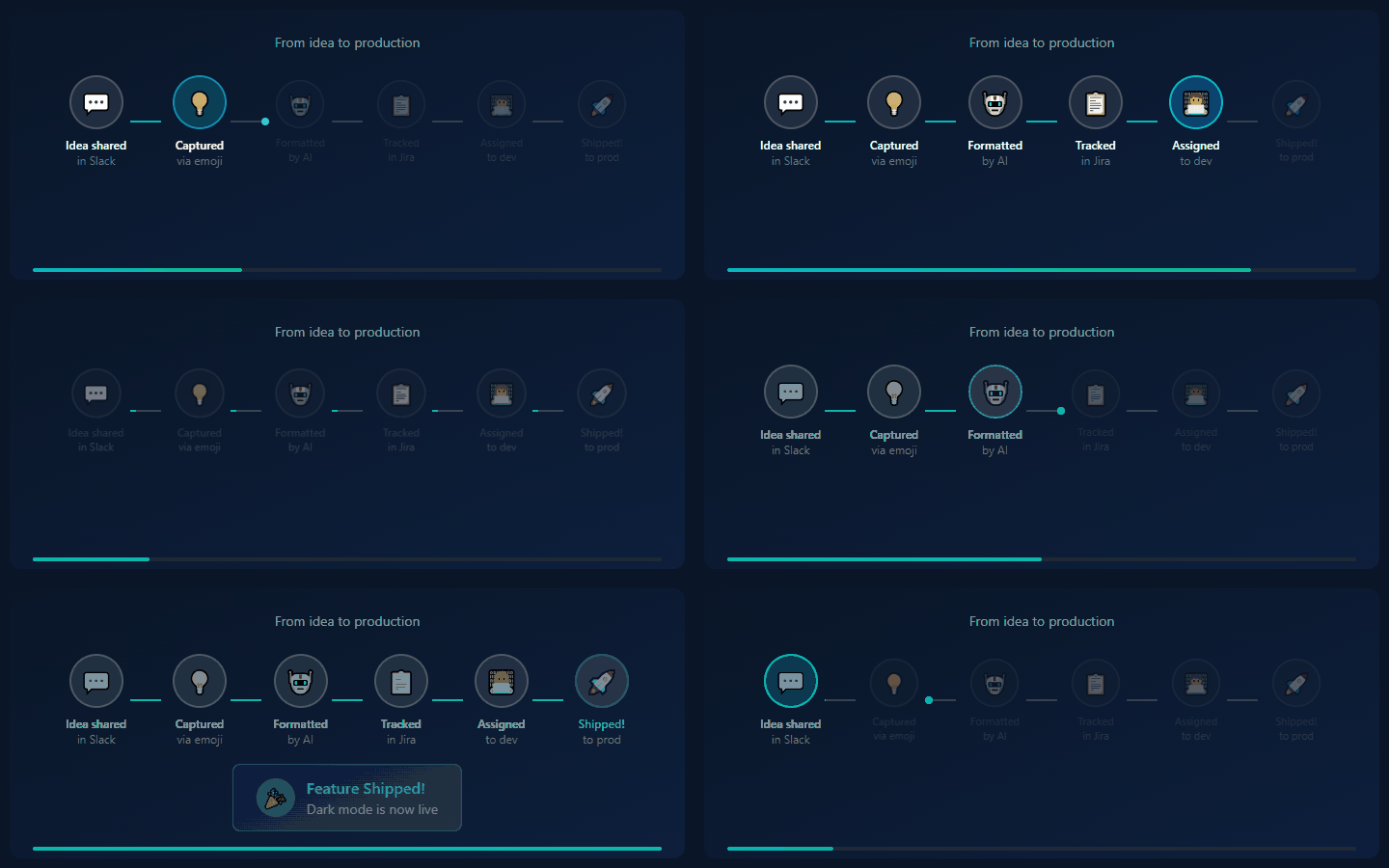
Your feature request situation is probably a mess. Be honest.
You have:
- A Slack channel with 200 unread messages
- A Google Sheet someone started and abandoned
- Feature requests buried in support tickets
- Ideas in your head that you'll "remember later"
- Stakeholder requests in email threads
- Customer feedback scattered across Intercom, Zendesk, and Twitter
Sound familiar?
The average product team loses 73% of feature requests to this chaos. Ideas that could transform your product disappear into the void.
This guide gives you a practical system to track every feature request—without becoming a full-time admin.
Why Feature Request Tracking Breaks Down
Before fixing the system, understand why it fails:
1. Too Many Sources
Feature requests come from everywhere:
- Customers (support, sales calls, surveys)
- Team members (engineering, design, sales)
- Stakeholders (executives, investors, partners)
- Analytics (user behavior suggesting needs)
No single person sees all of them.
2. Inconsistent Capture
Some requests get documented. Most don't. It depends on:
- Who receives the request
- How busy they are
- Whether they think it's "important enough"
3. No Single Source of Truth
Even documented requests live in silos:
- Support uses Zendesk
- Product uses Notion
- Engineering uses Jira
- Sales uses Salesforce
The request exists, but no one can find it.
4. No Process After Capture
Captured requests sit in a backlog forever. No triage. No prioritization. No communication back to requesters. Eventually, everyone gives up on the system.
The Simple Feature Request System
Here's a system that actually works. It has four components:
Component 1: Unified Inbox
Every feature request goes to one place. Not Slack. Not email. Not a spreadsheet. One dedicated inbox.
Options:
- Dedicated tool: IdeaLift, Canny, ProductBoard
- DIY: Notion database, Airtable, Google Sheet (with discipline)
- Project tool: Jira project just for requests
The tool matters less than the discipline. Pick one. Use it always.
Component 2: Low-Friction Capture
If capture is hard, it won't happen. Make it effortless:
| Source | Capture Method | |--------|----------------| | Slack/Discord | Emoji reaction → auto-capture | | Support tickets | Tag or field → syncs to inbox | | Sales calls | Quick form or Slack shortcut | | User surveys | Automatic import | | Direct requests | Public voting page |
The goal: anyone can capture a request in under 30 seconds.
Component 3: Weekly Triage
A backlog that's never reviewed is just a graveyard. Schedule 30 minutes weekly:
Triage meeting agenda:
- Review new requests (5 min)
- Merge duplicates (5 min)
- Update statuses (5 min)
- Quick prioritization discussion (15 min)
Statuses to use:
- New - Just captured, not reviewed
- Under Review - Being considered
- Planned - On the roadmap
- In Progress - Currently being built
- Shipped - Done!
- Won't Do - Decided against (with reason)
Component 4: Close the Loop
The secret weapon: tell people what happened to their request.
When a request is declined: "Thanks for the suggestion! We've decided not to build this because [reason]. We're focusing on [alternative]."
When a request ships: "Great news! The feature you requested is now live. Check it out here: [link]"
This turns frustrated requesters into loyal advocates.
Setting Up Your System (Step-by-Step)
Step 1: Choose Your Inbox (Day 1)
Option A: Spreadsheet (Free, Limited)
Create a Google Sheet with columns:
- Date
- Requester
- Request (short)
- Details
- Source
- Status
- Priority
- Notes
Pros: Free, flexible Cons: No automation, gets messy, no notifications
Option B: Notion/Airtable (Free-ish, Better)
Create a database with:
- Same fields as above, plus:
- Linked records for duplicates
- Views for different statuses
- Comments for discussion
Pros: Better organization, multiple views Cons: Manual capture, no integrations
Option C: Dedicated Tool (Paid, Best)
Tools like IdeaLift, Canny, or ProductBoard offer:
- Automatic capture from Slack/email/support
- Public voting pages
- Roadmap integration
- Automatic notifications
Pros: Built for this workflow, saves time Cons: Monthly cost ($49-500+)
Step 2: Set Up Capture Points (Day 2-3)
For each source, create a capture path:
Slack:
- Create a Slack workflow or bot that captures messages
- Or use IdeaLift's emoji reaction capture
- Train team: "React with 💡 to capture feature requests"
Support Tickets:
- Add a "Feature Request" tag in your support tool
- Create a Zapier/Make workflow to sync tagged tickets
Sales:
- Create a simple form (Typeform, Google Form)
- Or a Slack shortcut:
/feature-request [description]
Direct from Users:
- Public feature request page (Canny, Nolt, or custom)
- Link from your app's "Request a Feature" button
Step 3: First Triage Session (Day 4)
Go through your existing feature requests:
- Gather everything - Export from Slack, email, support tickets, your memory
- Deduplicate - Merge identical requests, note how many people asked
- Categorize - Group by theme (UX, performance, new features, integrations)
- Initial status - Mark obvious decisions (quick wins, definitely not, needs research)
This will take 1-2 hours. It's worth it.
Step 4: Establish the Ritual (Ongoing)
Block 30 minutes every Friday afternoon:
Solo PM: Review inbox, update statuses, send 2-3 "loop closed" messages
Team: Quick standup to discuss top requests, make decisions, assign research
Step 5: Communicate (Ongoing)
Create templates:
Monthly roadmap update:
What we shipped this month:
✅ Feature A (requested by @sarah, @mike)
✅ Feature B (requested by @customer123)

What we're building next month:
🔨 Feature C
🔨 Feature D

Top requests we're considering:
🤔 Feature E (47 votes)
🤔 Feature F (32 votes)
Request declined:
Thanks for suggesting [feature]. After careful consideration,
we've decided not to build this because [specific reason].

We're focusing our efforts on [alternative that might help].

If your needs change or you have other suggestions, please
let us know!
How to Prioritize Feature Requests
You'll have more requests than you can build. Here's how to decide:
The ICE Framework
Score each request 1-10 on:
- Impact: How much will this help users/business?
- Confidence: How sure are we about the impact?
- Ease: How easy is this to build?
ICE Score = (I + C + E) / 3
Sort by score. Build from the top.
The Request Count Approach
Track how many times each feature is requested. Popular requests surface naturally.
Caution: Volume isn't everything. One enterprise customer's request might be worth more than 50 free users'.
The Strategic Alignment Filter
Ask: "Does this request align with our current strategic priorities?"
If you're focused on retention, prioritize requests that help existing users. If you're focused on acquisition, prioritize requests that attract new users.
The RICE Framework (More Rigorous)
- Reach: How many users will this affect?
- Impact: How much will it affect them? (0.25, 0.5, 1, 2, 3)
- Confidence: How confident are we? (0-100%)
- Effort: Person-weeks to build
RICE Score = (Reach × Impact × Confidence) / Effort
Common Mistakes (and How to Avoid Them)
Mistake 1: Capturing Everything
Not every request deserves tracking. Filter out:
- Support questions disguised as feature requests
- Requests for things you already do
- Requests that would help only the requester
Fix: Quick sanity check before adding to inbox.
Mistake 2: Never Saying No
A backlog of 500 "under consideration" requests helps no one.
Fix: Say "Won't Do" to requests that:
- Don't align with product direction
- Would help < 1% of users
- Are technically infeasible
Be kind, be clear, close the loop.
Mistake 3: Building for the Loudest Voice
Squeaky wheels get grease, but they're not always right.
Fix: Weight requests by:
- Customer value (revenue, potential revenue)
- Number of requesters
- Strategic alignment
Mistake 4: No Follow-Up
The most common failure. Requests are captured. Then nothing.
Fix: The weekly triage ritual. Non-negotiable.
Measuring Your System's Health
Track these metrics monthly:
| Metric | Target | |--------|--------| | Requests captured / week | Trending up (at first) | | Days in "New" status | < 7 days | | Requests without status update (30+ days) | < 10% | | "Shipped" requests / quarter | Increasing | | Loop closed (notified requesters) | > 80% |
Tools Comparison
| Tool | Best For | Price | Capture Automation | |------|----------|-------|-------------------| | Google Sheets | Scrappy startups | Free | None | | Notion | Small teams | Free-$10/mo | Zapier | | Airtable | Structured teams | $20/mo | Zapier | | Canny | Public feedback | $79/mo | Some | | ProductBoard | Enterprise | $20/user/mo | Good | | IdeaLift | Slack-heavy teams | $49/mo | Native Slack/Discord |
Conclusion
Feature request tracking isn't sexy, but it's the difference between products that customers love and products that miss the mark.
The system is simple:
- One inbox for all requests
- Low-friction capture from every source
- Weekly triage to keep it clean
- Close the loop so requesters feel heard
Start today. Your future self (and your customers) will thank you.
Ready to stop losing feature requests? Try IdeaLift free →
Related posts:
- How to Prioritize Feature Requests Without Going Crazy
- The Complete Guide to Product Feedback Management
- Slack to Jira: The Complete Integration Guide
Ready to stop losing ideas?
Capture feedback from Slack, Discord, and Teams. Send it to Jira, GitHub, or Linear with one click.
Try IdeaLift Free →