Discord to GitHub: How to Turn Community Feedback into Issues
Learn how to automatically create GitHub issues from Discord messages. Perfect for open source maintainers and gaming communities.
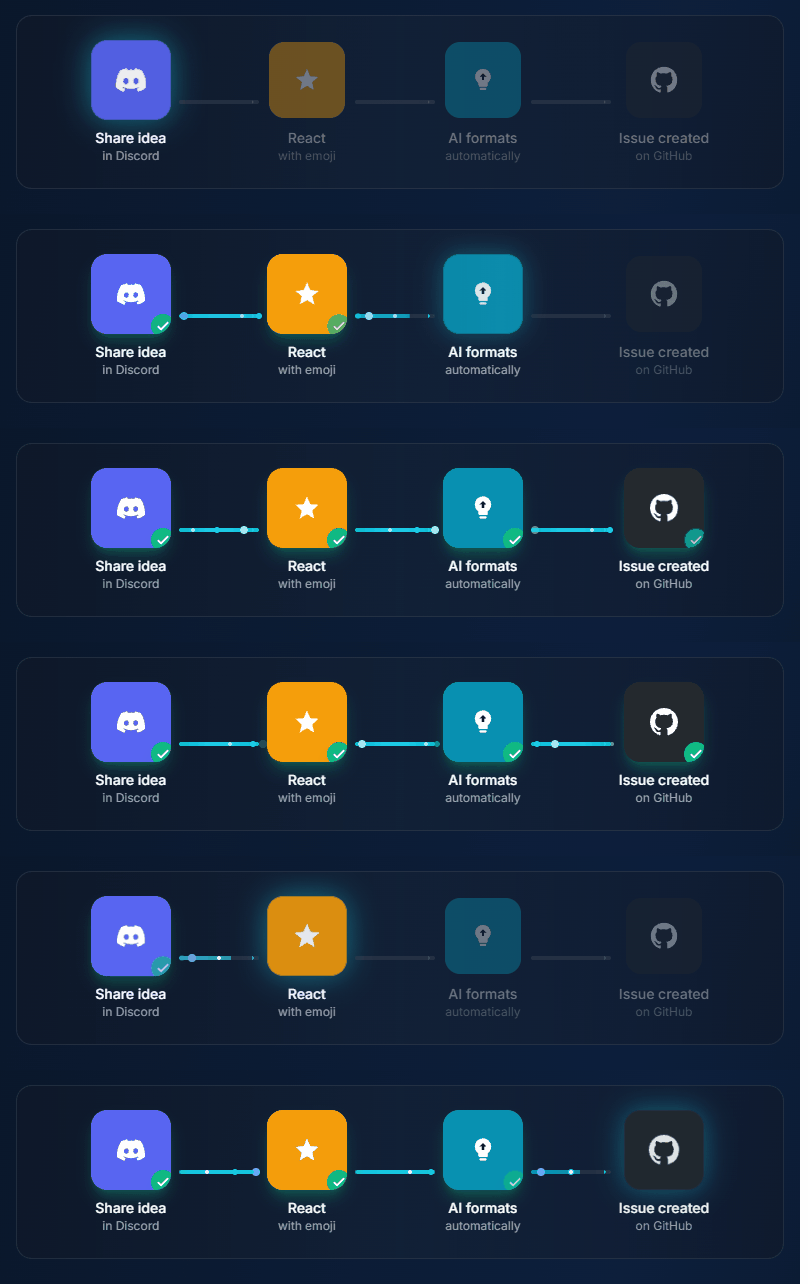
If you run an open source project or developer community on Discord, you know the pain: users report bugs, request features, and share ideas in your Discord server—but those messages never make it to your GitHub issue tracker.
The result? Bug reports get lost. Feature requests go forgotten. Your community feels ignored.
This guide shows you how to bridge Discord and GitHub so valuable community feedback becomes actionable issues.
Why Discord Communities Need GitHub Integration
Discord has become the default home for developer communities:
- Open source projects use Discord for contributor chat
- Gaming studios use Discord for player feedback
- Developer tools use Discord for user support
But Discord is designed for conversation, not tracking. Messages disappear in the scroll. There's no way to mark something as "done" or assign it to someone.
GitHub Issues, on the other hand, is built for exactly that. The challenge is getting feedback from Discord into GitHub without:
- Requiring community members to create GitHub accounts
- Copy-pasting messages manually
- Missing important feedback in the noise
4 Ways to Connect Discord and GitHub
Method 1: GitHub Bot for Discord (Official)
Best for: Getting GitHub notifications in Discord (not the other way around)
GitHub's official Discord integration sends notifications from GitHub to Discord—new issues, PRs, releases. It doesn't help capture Discord messages as GitHub issues.
Use case: Keep your Discord informed about repo activity Not useful for: Capturing feedback from Discord
Method 2: Zapier / Make Automation
Best for: Simple automation without coding
Zapier can watch Discord channels and create GitHub issues based on triggers.
Example workflow:
- Trigger: Message posted in #bug-reports channel
- Filter: Message contains "bug" or starts with "[BUG]"
- Action: Create GitHub issue with message content
Pros:
- No coding required
- Flexible trigger conditions
Cons:
- $20-50/month for useful plans
- All messages in channel become issues (noisy)
- No thread context or conversation summary
- Rate limits
Setup time: 30-60 minutes
Method 3: Custom Discord Bot
Best for: Open source projects with developer capacity
Build a bot that:
- Listens for emoji reactions (like 🐛 for bugs)
- Captures the message + any replies
- Creates a GitHub issue via the API
Example (Node.js pseudo-code):
client.on('messageReactionAdd', async (reaction, user) => {
  if (reaction.emoji.name === '🐛') {
    const message = reaction.message;
    await createGitHubIssue({
      title: message.content.slice(0, 60),
      body: `Reported by ${message.author.username} in Discord\n\n${message.content}`,
      labels: ['community-reported']
    });
  }
});
Pros:
- Complete control
- No ongoing costs
- Can add smart features (deduplication, AI summary)
Cons:
- Requires 20-40 hours to build properly
- You maintain the infrastructure
- Need to handle edge cases (deleted messages, permissions)
Method 4: Dedicated Feedback Tools
Best for: Communities serious about feedback loops
Tools like IdeaLift are built specifically for this workflow:
- Community member posts in Discord
- Anyone reacts with a capture emoji (e.g., 👽)
- Message + thread context is captured
- AI summarizes if it's a long conversation
- One-click push to GitHub Issues
Additional features:
- Deduplication: "This looks similar to issue #47"
- Bi-directional sync: When issue is closed, Discord gets notified
- Multi-destination: Same idea can go to GitHub AND Linear AND Notion
Pros:
- Purpose-built for this workflow
- AI-powered summarization
- Works with Discord, Slack, Teams
Cons:
- Monthly cost ($49+)
- Another tool to manage
Best Approach by Community Size
Small Community (< 100 members)
Manual capture works fine. Appoint 1-2 moderators who copy notable feedback to GitHub. Use a shared format:
## Community Feedback: [Title]

**Reported by:** Discord user @username
**Channel:** #feedback
**Date:** 2026-01-15

### Description
[Copy message here]

### Community Discussion
[Any relevant replies]
Medium Community (100-1,000 members)
Manual breaks down. Options:
- Zapier with strict channel filters
- Simple custom bot with emoji triggers
- Dedicated tool like IdeaLift
Large Community (1,000+ members)
You need:
- Automated capture (can't rely on moderators)
- Deduplication (same bug reported 10 times)
- Triage workflow (not everything becomes an issue)
- Feedback loop (notify community when shipped)
Setting Up Emoji-Based Capture
The most user-friendly approach: emoji reactions as triggers.
Choose Your Emojis
| Emoji | Meaning |
|-------|---------|
| 🐛 | Bug report → GitHub issue with bug label |
| ✨ | Feature request → GitHub issue with enhancement label |
| 📝 | Documentation → GitHub issue with docs label |
| 💡 | Idea for discussion → GitHub Discussion |
Train Your Community
Post a pinned message in feedback channels:
📣 How to report bugs and request features:

See something that should be tracked? React with:
🐛 = Bug report
✨ = Feature request
📝 = Docs improvement

We'll create a GitHub issue and keep you updated!
The Capture Flow
- User posts: "The search function doesn't work with special characters"
- Moderator (or anyone) reacts with 🐛
- Bot captures message → Creates GitHub issue
- Bot replies: "Created issue #234 - I'll update here when it's fixed!"
- When issue is closed, bot posts: "🎉 Fixed in v2.3.1!"
Advanced: AI-Powered Summarization
Long Discord threads are hard to turn into clear issues. AI can help.
Before (raw Discord thread):
User1: the search is broken
User2: what do you mean?
User1: when I type "test@123" nothing comes up
User3: same here, special chars break it
User1: also tried "hello#world" - also broken
Mod: thanks, looking into it
User4: +1 this is annoying
After (AI summary):
## Bug: Search fails with special characters

**Summary:** Search returns no results when query contains special
characters like @, #, or other symbols.

**Reproduction:**
- Search for "test@123" - no results
- Search for "hello#world" - no results

**Impact:** Multiple users affected

**Reported by:** User1 (and 3 others)
Tools like IdeaLift do this automatically. If building custom, use GPT-4:
const summary = await openai.chat.completions.create({
  model: "gpt-4",
  messages: [{
    role: "system",
    content: "Summarize this Discord thread as a clear GitHub issue."
  }, {
    role: "user",
    content: threadMessages.join('\n')
  }]
});
Measuring Community Feedback Health
Track these metrics:
| Metric | What It Tells You | |--------|-------------------| | Ideas captured / week | Is feedback making it to GitHub? | | Time to triage | How fast do you respond? | | Ideas shipped / month | Is feedback actually being acted on? | | Community sentiment | Do users feel heard? |
The goal isn't just capturing feedback—it's closing the loop so your community knows their voice matters.
Common Mistakes to Avoid
1. Capturing Everything
Not every Discord message should become a GitHub issue. Set clear criteria for what gets captured.
2. No Triage Process
Captured feedback needs someone to review it weekly. Otherwise you just move the pile from Discord to GitHub.
3. Never Closing the Loop
If a feature ships because a community member suggested it, TELL THEM. This turns users into advocates.
4. Ignoring Duplicates
"Add dark mode" will be requested 50 times. Deduplicate and show request count instead of 50 issues.
Conclusion
Your Discord community is a goldmine of product insight—if you can capture it. Start simple:
- Today: Designate feedback channels (#bugs, #feature-requests)
- This week: Set up emoji-based capture (manual or automated)
- This month: Close the loop on your first shipped community idea
The tools matter less than the habit. Pick something, stick with it, and show your community that their feedback leads to real improvements.
Ready to never lose community feedback again? Try IdeaLift free →
Related posts:
- How to Build a Developer Community That Contributes
- The Complete Guide to Open Source Project Management
- Slack to Jira: The Complete Integration Guide
Ready to stop losing ideas?
Capture feedback from Slack, Discord, and Teams. Send it to Jira, GitHub, or Linear with one click.
Try IdeaLift Free →